Showing posts with label Interactive. Show all posts
Showing posts with label Interactive. Show all posts
Monday, July 13, 2009
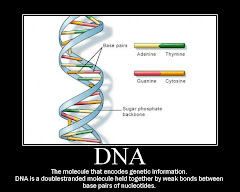
Motivator - Posters
Motivator allows you to create your own customized motivational posters. Armed with a digital camera and that non-stop wit of yours, you now have the power to turn a simple photograph into a humorous or inspirational message. Print it, frame it! Make two—we know you've got hundreds of digital images and photos to spare! Make your own inspirational, funny, parody, sports or other posters. Perfect for the office, schools, teachers, coaches, as announcements, for parties, invitations, and a lot more.

Free Music Archive
The Free Music Archive provides free, high-quality, music in a wide range of genres. The content on Free Music Archive is used under various creative commons licenses. The New York State Music Fund provided initial funding for FMA. FMA seeks to maintain a high-quality resource through the use of selected curators who approve or deny all submissions to the collection.
Anyone can download music from FMA for use in podcasts, videos, and other digital presentation formats. The music collections can be searched by genre or by curator.
Anyone can download music from FMA for use in podcasts, videos, and other digital presentation formats. The music collections can be searched by genre or by curator.
Setting up a blog.
Blogger
This was a really easy way to set up a blog. All I needed to do was to go to the website and follow the prompts. It helped that I already had a google account which pulled in my detail.
Once you have set up your blog you can begin to create the content and customise your site. You can also add other blogs that you are watching or create other blogs under different headings.
If you want to switch blogs that you have created, or go to the other blogs that you are watching you will need to click on the dashboard up the top.
Good Luck and add me to your blog.
This was a really easy way to set up a blog. All I needed to do was to go to the website and follow the prompts. It helped that I already had a google account which pulled in my detail.
Once you have set up your blog you can begin to create the content and customise your site. You can also add other blogs that you are watching or create other blogs under different headings.
If you want to switch blogs that you have created, or go to the other blogs that you are watching you will need to click on the dashboard up the top.
Good Luck and add me to your blog.
Subscribe to:
Posts (Atom)